Ultimate64 Slideshow V1.0
A downloadable Commodore 64 slideshow for Windows, macOS, and Linux
Ultimate64 Slideshow
Your pictures, native on the Commodore 64.
Ultimate64 Slideshow turns ordinary JPG and PNG pictures into genuine Commodore 64 graphics and shows them on your Ultimate 64 over the network – one picture at a time or as a slideshow. All the work happens on your computer; the C64 only receives the finished picture and a tiny display program, just like a real C64 picture would be shown.
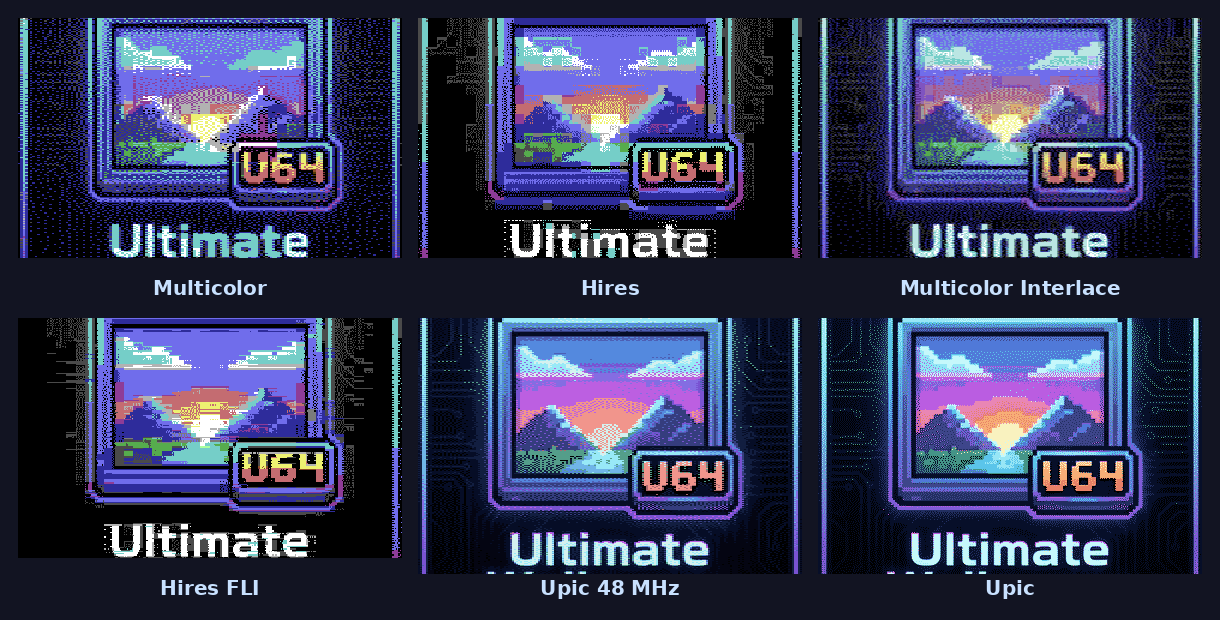
It ranges from classic C64 modes to techniques that only the Ultimate’s turbo makes possible: Upic paints every pixel of a 384×256 picture with its own colour from a palette fitted to each image.
Features
- 8 graphics modes
- Multicolor (160×200) and Hires (320×200) – the classic C64 formats
- Hires Flicker and Multicolor Interlace – two pictures alternating at 50 Hz for mixed colours
- Hires FLI – a new colour pair for every pixel row; Hires FLI+ with the left border stripe filled by sprites
- Upic (384×256) and Upic 48 MHz (192×256) – 16 freely chosen colours per pixel, palette fitted to each picture
- 8 dithering algorithms (Floyd-Steinberg, Atkinson, Jarvis, Stucki, Burkes, Sierra Lite, ordered/Bayer, none) plus brightness, contrast, saturation and gamma
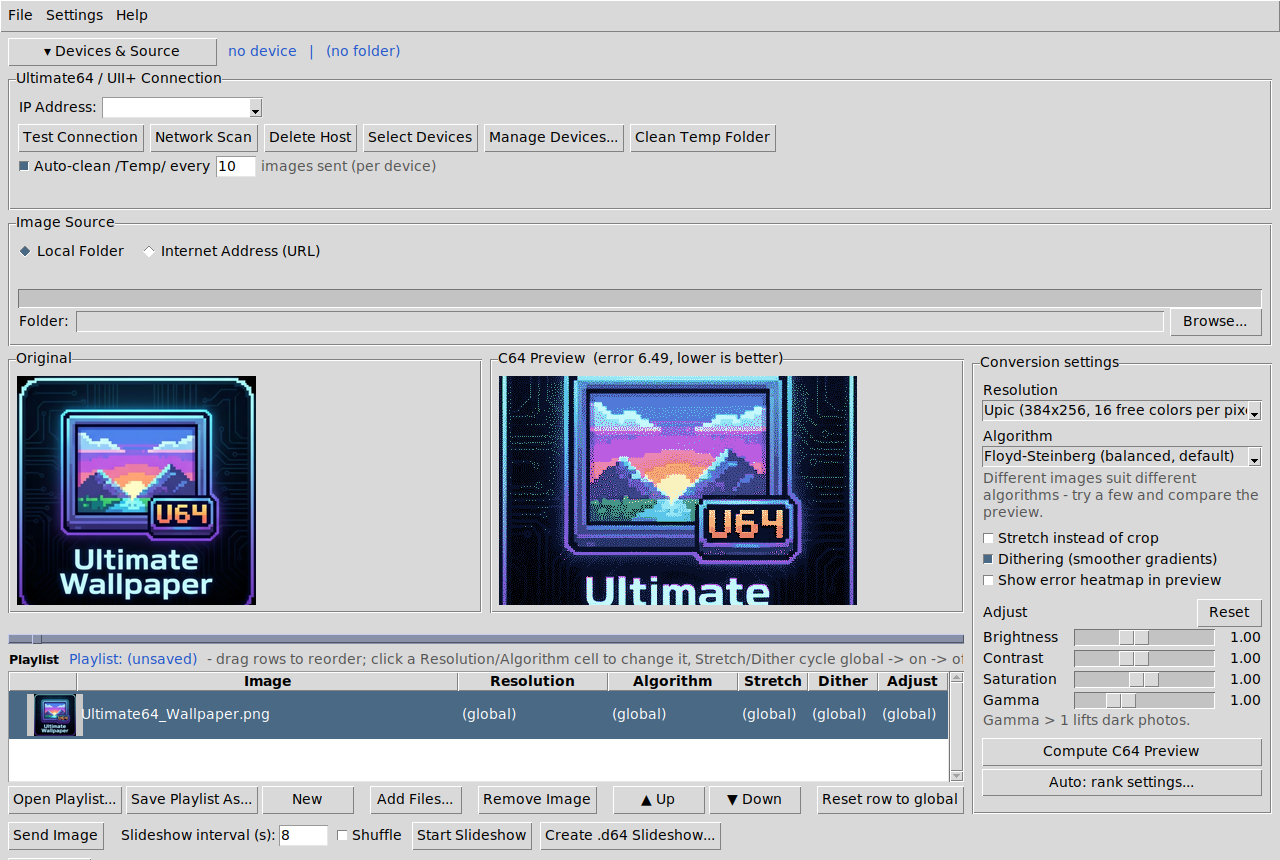
- Auto mode – measures every mode/algorithm combination and picks the best one per picture; preview any result, even on the real screen
- Live preview of the C64 result next to the original, with an error heatmap showing where the conversion loses detail
- Playlists with per-picture settings, thumbnails, drag & drop, pictures from folders, single files or web pages
- Slideshow with adjustable interval, shuffle and a wipe transition
- Several Ultimates at once, each with its own mode
- Import and export of Koala Painter and Art Studio files
- .d64 export – a stand-alone slideshow disk for the Ultimate or any PAL C64
- Built-in manual, keyboard control
Requirements
- An Ultimate 64 (original, Elite or Elite II) on your network, with the REST API / web remote control enabled in its menu
- For Upic and Upic 48 MHz, in the Ultimate menu: Turbo Mode = U64 Turbo Registers and Command Interface enabled
- Upic (full 384 px width) needs an Ultimate 64 Elite II; Upic 48 MHz runs on every Ultimate 64 with turbo
- The C64 Ultimate is technically capable of all modes, but its firmware does not support this yet
- Windows 10/11, macOS on Apple Silicon, or 64-bit Linux
First start – security warnings
The downloads are not code-signed (a certificate costs money every year), so your system warns the first time:
- Windows: “Windows protected your PC” → click More info, then Run anyway.
- macOS: unzip, move Ultimate64-Slideshow.app to Applications and open it once – macOS refuses. Then open System Settings → Privacy & Security, scroll down and click Open Anyway next to the message about Ultimate64-Slideshow. From then on it starts normally.
Terminal alternative:xattr -dr com.apple.quarantine /Applications/Ultimate64-Slideshow.app - Linux: make the AppImage executable (
chmod +x Ultimate64-Slideshow-*.AppImageor file properties → allow executing). On newer distributions AppImages need libfuse2 (Ubuntu/Debian:sudo apt install libfuse2).
Downloads
Ultimate64-Slideshow-1.0-windows.exe– Windows, single fileUltimate64-Slideshow-1.0-macos.zip– macOS (Apple Silicon)Ultimate64-Slideshow-1.0-linux-x86_64.AppImage– Linux
Credits
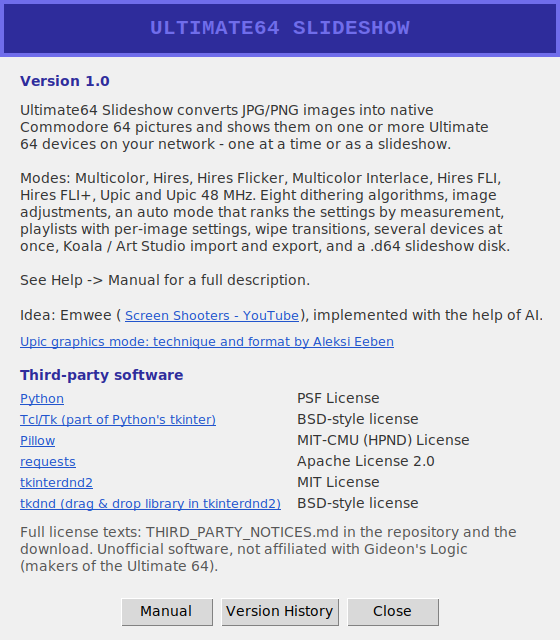
Idea: Emwee (Screen Shooters). Upic graphics mode: technique and format by Aleksi Eeben (CSDb). Uses Python, Tcl/Tk, Pillow, requests, tkinterdnd2 and tkdnd – see THIRD_PARTY_NOTICES and the About window.
Unofficial software, not affiliated with Gideon’s Logic (makers of the Ultimate 64).
Download
Click download now to get access to the following files:
Leave a comment
Log in with itch.io to leave a comment.